


Browse by category
Yalton Ruiz What's new in Lens Desktop 2026.6: Integrated with familiar AI Tools and Flux
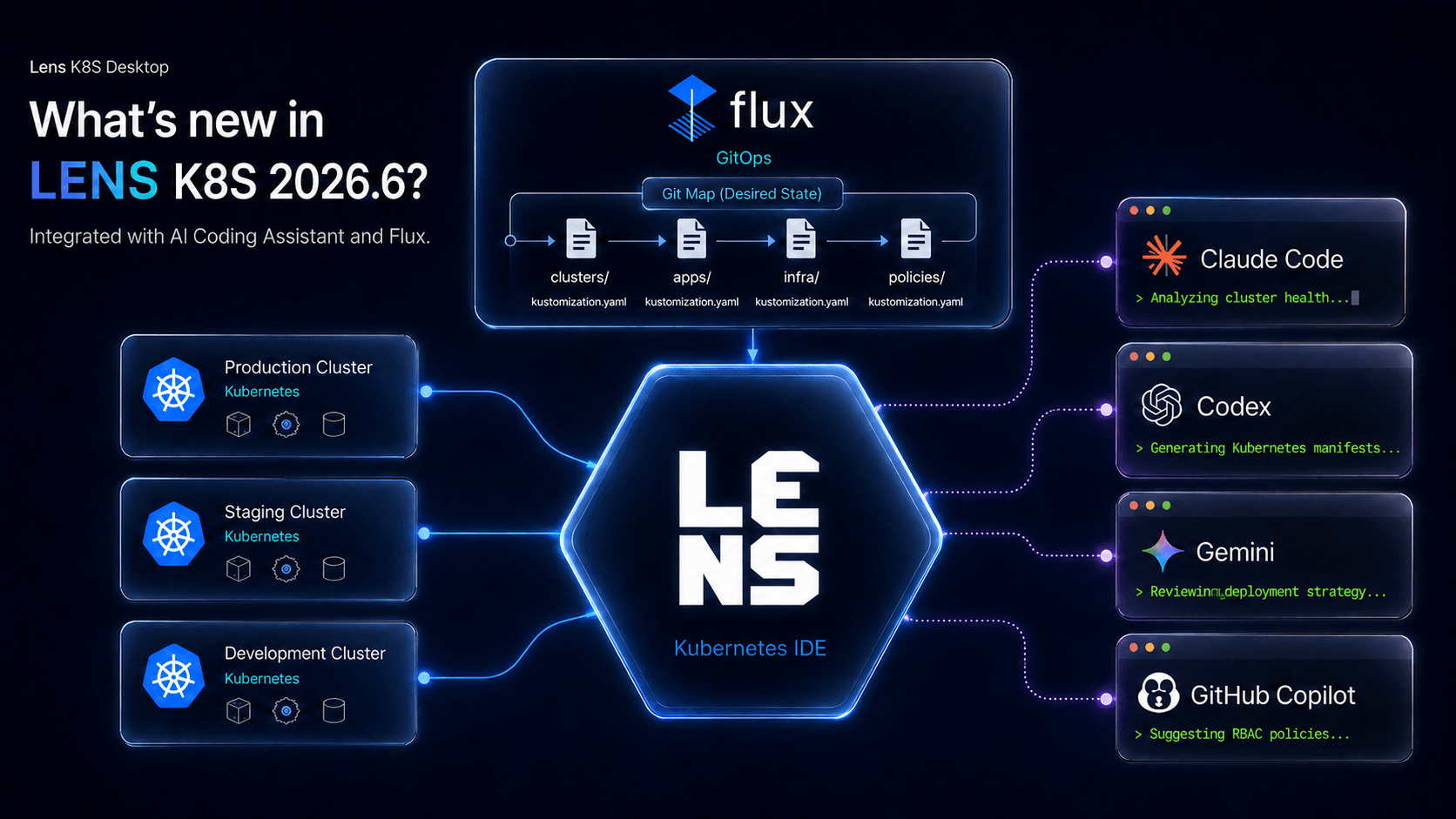
Lens Prism has evolved: You can run the AI agent you already use, Claude Code, Codex, GitHub Copilot CLI, or Gemini CLI, right inside Lens, without needing to b...
Flavius Dinu AI Agents are Non-Human Identities. Treat Them Like One.
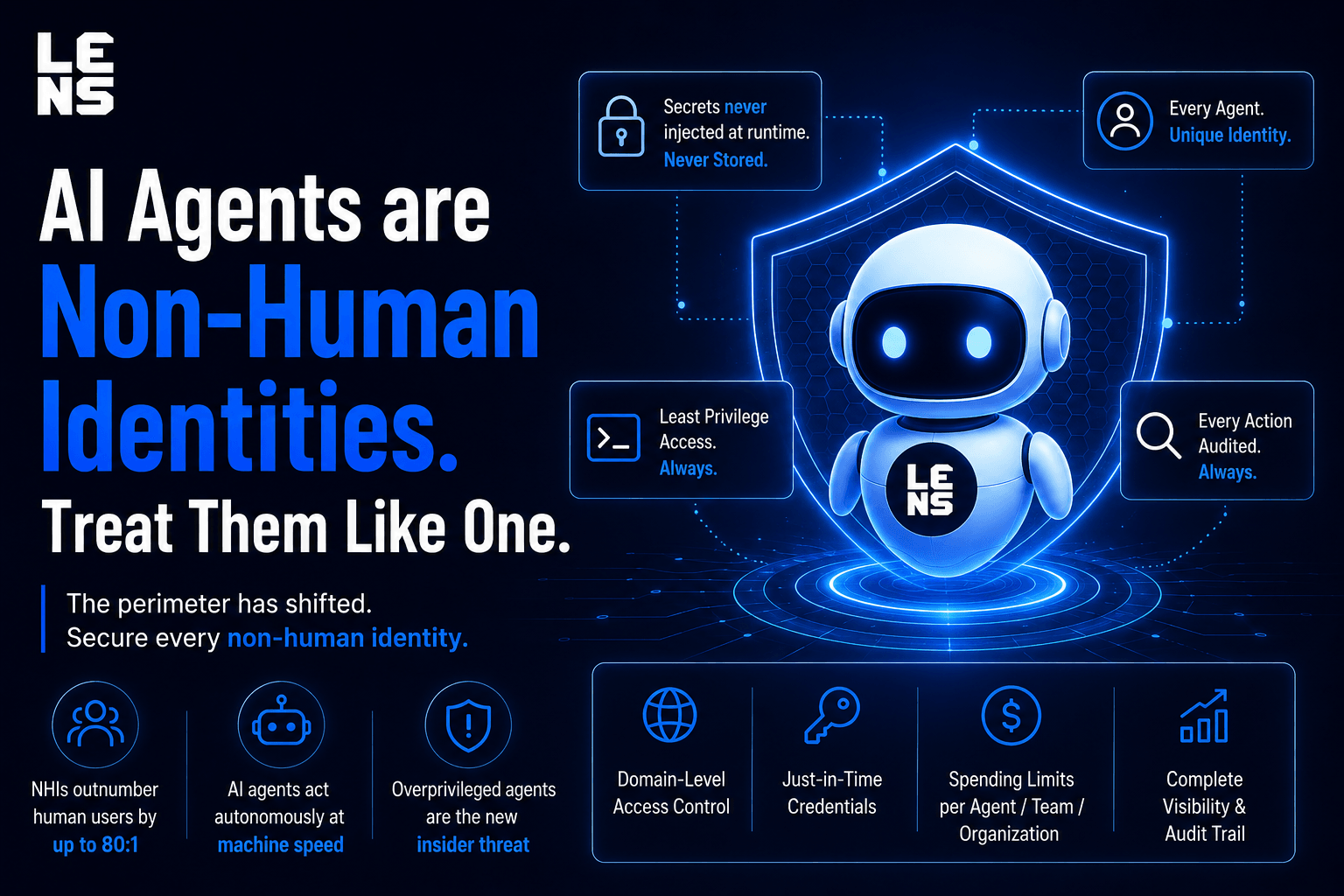
AI agents are non-human identities that outnumber humans. Learn why NHIs are the new security boundary—and how to keep credentials out of the agent.
Flavius Dinu Lens Experimental Features: Ship Faster, Opt-In Only
Try new Lens Kubernetes IDE features the moment they're built. Opt in to experiments like URL Navigation and Theme Tweaker, and uninstall any time
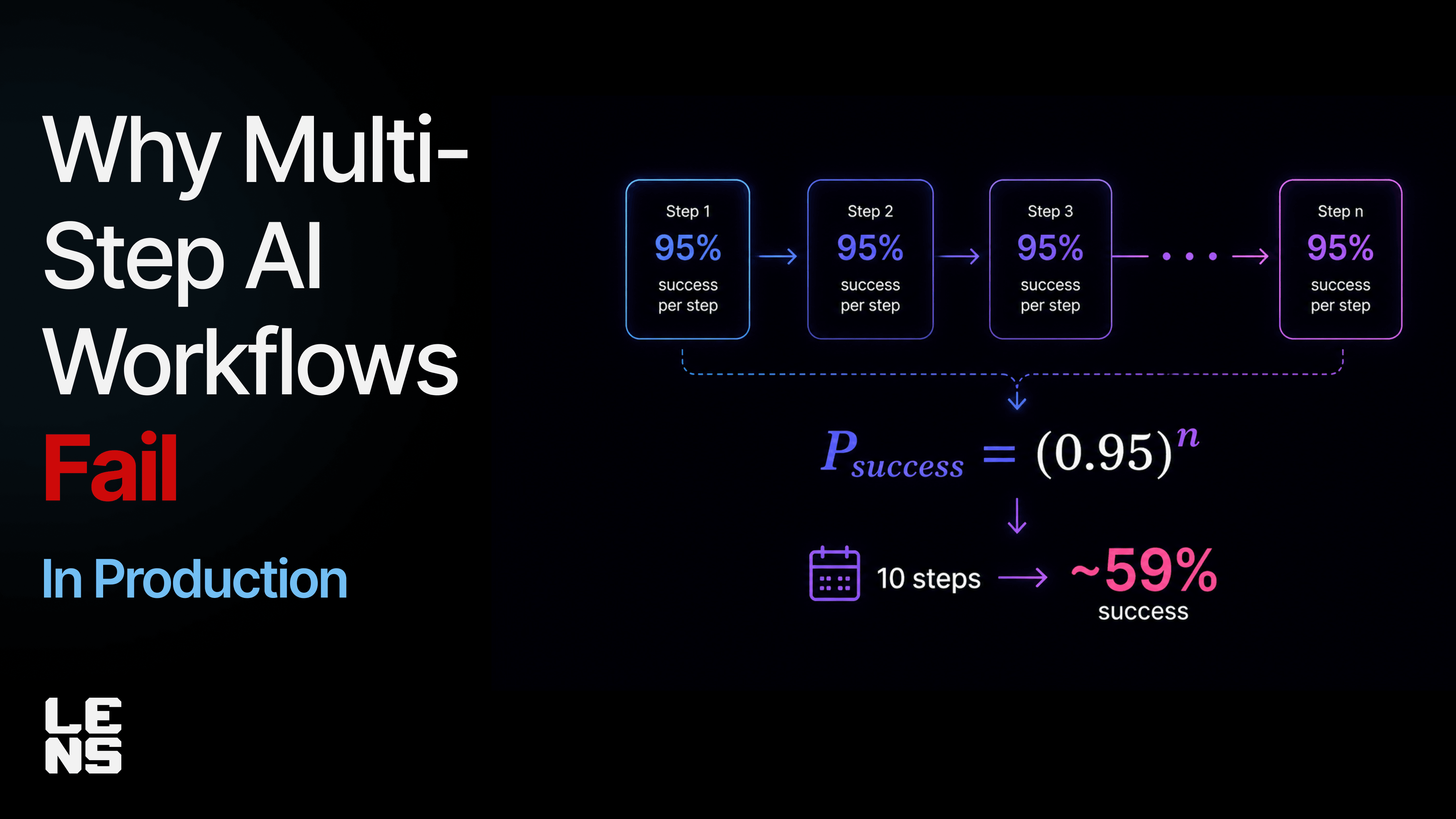
Flavius Dinu The Math Behind Why Multi-Step AI Agents Fail in Production
At 95% per-step accuracy, a 10-step AI agent workflow fails ~40% of the time. Here's the math behind compounding errors — and how to contain the blast radius.
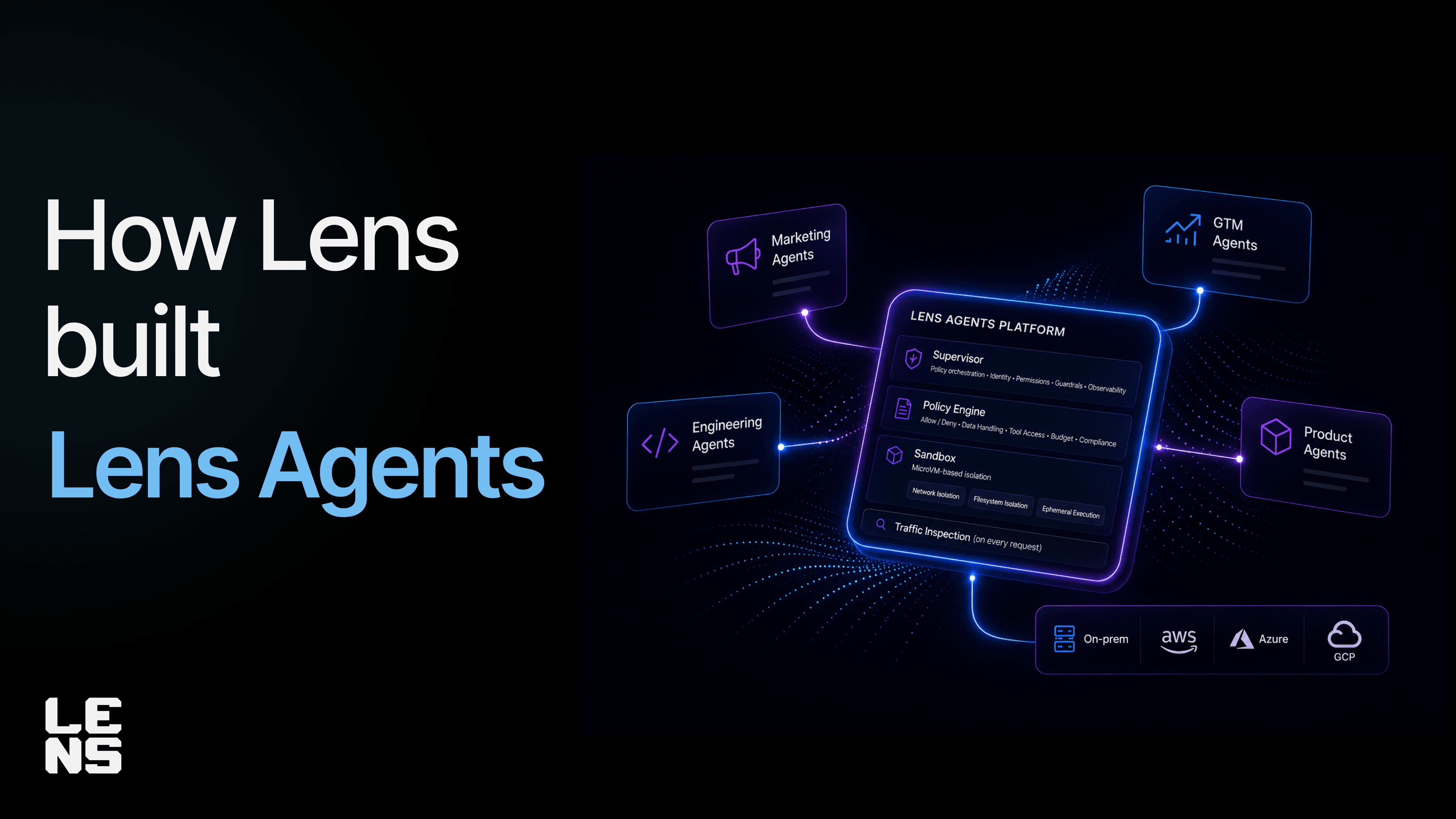
Flavius Dinu How Lens Built Lens Agents to Govern Its Own AI Workflows
Lens became its own first Lens Agents customer. Here's how we govern AI agents across marketing, GTM, product, and engineering — and what we built.
What's new in Lens Desktop 2026.5
Lens Desktop 2026.5 adds native Kubernetes Gateway API support, Admission Policies with CEL highlighting, and a Premium Features trial dashboard.
Lens ReleaseWhy AI Agents Fail in Production (and How to Fix It)
AI agents fail in production due to context drift, fragile tools, compounding errors, and missing governance. Here's what actually breaks, and how to fix it.
TutorialsIntroducing Lens Agents
Introducing Lens Agents — the governed platform for running AI agents on enterprise systems. Any agent. Any model. Any environment. Your rules.
AnnouncementsWhat is Platform Engineering? A Practical Guide for Kubernetes Teams
Learn what platform engineering is, why it matters in 2026, and how to build an Internal Developer Platform (IDP) stack for Kubernetes using Backstage, ArgoCD, Crossplane, Kyverno, and Lens.
TutorialsImplementing GitOps for your Kubernetes Workflows using ArgoCD and Flux
Compare ArgoCD and Flux CD for Kubernetes GitOps. Hands-on installation, troubleshooting, and how to monitor GitOps at scale with Lens Kubernetes IDE.
Tutorials18 Best DevOps MCP Servers in 2026
Discover the 18 best MCP servers for DevOps — covering CI/CD, Kubernetes, IaC, observability, and security. Includes setup examples and best practices.
TutorialsManaging Multi-Cloud Infrastructure with Crossplane
Learn how to use Crossplane to manage multi-cloud infrastructure from Kubernetes. This tutorial covers installing Crossplane, configuring AWS and Azure providers, deploying cloud resources with kubectl, and using Lens Kubernetes IDE for visibility into your Crossplane resources at scale.
TutorialsManage All Your K8s Clusters from Any AI Assistant | Lens MCP Server
Lens Kubernetes IDE now includes a built-in MCP Server. Connect Claude Code, ChatGPT, Cursor, or GitHub Copilot to all your Kubernetes clusters — no manual kubeconfig setup needed.
Lens ReleaseMajor updates to Lens Kubernetes IDE – Release 2026.3
Lens Kubernetes IDE 2026.3 introduces a built-in MCP Server to connect AI assistants like Claude and Copilot to your K8s clusters, a Prism terminal skill for applying manifests and pushing to VCS, and an onboarding wizard for new users. Try all Premium features free for 30 days.
Lens ReleaseKubernetes RBAC Tutorial: Roles, ClusterRoles, and Service Accounts
Learn Kubernetes RBAC step by step. Create Roles, ClusterRoles, RoleBindings, and Service Accounts with real examples. Inspect and troubleshoot RBAC with Lens IDE.
TutorialsAccelerate Kubernetes Operations with Lens Premium Features
Learn how Lens Premium features simplify Kubernetes management at scale with agentless multi-cloud cluster discovery for EKS and AKS, Prism AI-powered troubleshooting, and enterprise-grade security including SSO, SCIM provisioning, and air-gapped deployment.
EngineeringHow To Manage Kubernetes from Claude Desktop Using MCP Servers
Learn how to connect Claude Desktop to your Kubernetes clusters using MCP servers. Set up kubernetes-mcp-server and mcp-server-kubernetes to manage pods, deployments, and services using natural language instead of kubectl commands.
TutorialsHow to connect to a Kubernetes Pod Shell with kubectl exec
Learn how to use kubectl exec to connect to a Kubernetes pod shell, run commands inside containers, debug network issues, and troubleshoot common errors. Includes multi-container pods, best practices, and examples.
TutorialsHow to Use Trivy with Kubernetes: From CLI to CI/CD to Lens
Learn how to scan Kubernetes containers and manifests for vulnerabilities using Trivy. This guide covers CLI usage, CI/CD integration, configuration best practices, and how Lens Security Center visualizes Trivy scan results across your clusters
Tutorials12 Best Kubernetes Security Tools You Need in 2026
Explore 12 must-have Kubernetes security tools covering vulnerability scanning, policy enforcement, runtime protection, and compliance. Build defense-in-depth for your K8s clusters.
TutorialsAI Improvements and Azure Integration in Lens 2026.1
The January 2026 Lens Release, helps you operate Kubernetes more efficiently with native Azure AKS integration, Prism AI improvements, and UX updates that reduce friction in daily workflows and speed up troubleshooting.
Lens ReleaseEnforcing Kubernetes Security and Compliance with Kyverno: A Complete Guide
Learn how to implement Kubernetes security and compliance using Kyverno policy engine. This complete guide covers policy validation, CI/CD integration, and real-time enforcement with Lens Kubernetes IDE. Includes practical examples for blocking insecure deployments.
TutorialsOne Click AKS Integration
Learn how to connect easily to Azure AKS clusters using Lens's one click integration
Lens ReleaseHow to use Kubernetes Secrets
Learn how to create, manage, and secure Kubernetes Secrets. Covers kubectl commands, YAML manifests, encryption at rest, external secret managers, and best practices.
TutorialsAI Agents Are Becoming the Next Computing Platform
AI agents are evolving into production-grade software systems. Insights from AWS re:Invent 2025 on agents, Kubernetes, OpenTelemetry, and cloud architecture.
AI EngineeringAccessing Private Kubernetes Clusters Through a Bastion Host with Lens
Learn two methods to securely access private Kubernetes clusters with Lens IDE using a bastion host: SSH tunneling and SOCKS proxy. Includes step-by-step setup for EKS, AKS, and GKE.
TutorialsThe New AI Development Loop: Solving the Organizational Visibility Gap in LLM Systems
AI systems behave probabilistically, leaving teams blind to quality, drift, and reasoning. Learn why enterprises need a new Observe→Understand→Improve loop — and how Lens Loop solves it.
AI EngineeringMeet the Lens Team at AWS re:Invent
Meet the Lens Team at AWS reInvent to learn more about Lens Kubernetes IDE and also discover our latest product Lens Loop that brings the same UI, UX, and observability to AI/ML.
EventsIntroducing Lens Loop: The World’s First Power Tool for LLM Application Developers
Introducing Lens Loop — the first IDE for LLM application developers. Capture full LLM traces, debug prompts, analyze cost & latency, and improve AI features with confidence.
AnnouncementsMeet the Lens Team at Microsoft Ignite 2025
The Lens Team will be at booth #5338 for Microsoft Ignite, so stop by to discuss about Kubernetes, and our new product Lens Loop that brings the same UI, UX, and observability.
EventsKubernetes ConfigMaps Tutorial: Best Practices & Examples
Learn how to use Kubernetes ConfigMaps to manage application configuration. Includes practical examples, best practices, and troubleshooting tips for production environments
TutorialsHow to Use Kubectl Port-Forward: Complete Guide for Kubernetes Developers
Learn how to use kubectl port-forward to securely access Kubernetes pods and services locally. Step-by-step examples, best practices, and Lens IDE integration.
TutorialsHow to Manage Kubernetes Deployments: Complete Guide 2025
Learn how to manage Kubernetes deployments effectively. Master scaling, updates, rollbacks, and troubleshooting with best practices and Lens K8s IDE tips.
TutorialsLens Release October 2025
We are proud to announce a new stable release of Lens Desktop that features major improvements to Lens Prism. This release also brings improvements to our AWS EKS integration, log viewer and substantial UX improvements and stability enhancements directly inspired by your feedback.
Lens ReleaseHow to Set Up Prometheus and Grafana in Kubernetes with Alertmanager and Slack Alerts
Learn how to install Prometheus in Kubernetes, configure Grafana dashboards, and set up Alertmanager to send real-time alerts to Slack. A complete monitoring and alerting guide for DevOps teams.
TutorialsMastering Kubernetes Deployment Strategies: Complete End-to-End Guide with Real Example
Learn how to master Kubernetes deployment strategies like Rolling Update, Blue-Green, Canary, and Argo Rollouts. Follow a complete end-to-end example to deploy apps safely, with no fancy setup required.
TutorialsBest AI Tools for Kubernetes in 2025: Optimize, Troubleshoot & Scale with AI
Discover the top AI tools for Kubernetes in 2025: K8sGPT, CAST AI, Lens Prism, Kubeflow & KServe. Troubleshoot faster, cut cloud costs, and scale AI workloads.
TutorialsTop 15 Kubernetes Use Cases
Discover the top 15 Kubernetes use cases that showcase how organizations leverage container orchestration for scalability, cost efficiency, CI/CD automation, hybrid cloud, microservices, and more. Learn why Kubernetes is essential for modern DevOps and cloud-native applications.
TutorialsLens User Survey 2024: The Voice of Our Community
Find out what the current state of Lens and Kubernetes adoption based on Lens K8s IDE Survey.
CommunityLens Release September 2025
Discover what’s new in the Lens September 2025 release! From powerful usability enhancements to performance boosts and updated integrations, this version makes cloud-native development and Kubernetes management faster, smarter, and more intuitive
Lens Release14 Best Kubernetes Tools in 2025
Explore the 14 best Kubernetes tools in 2025. From monitoring and security to cost optimization, discover the must-have solutions for modern clusters.
TutorialsManaging AWS EKS clusters at Scale
Learn how to manage AWS EKS clusters at scale. Discover best practices for governance, security, cost optimization, and DevOps automation.
TutorialsThe Most Common Kubernetes Errors and How to Fix Them
Discover the most common Kubernetes errors and how to fix them. Learn solutions for pod scheduling, manifests, networking, and more using Lens & Lens Prism.
TutorialsLens Kubernetes IDE Overview: How to simplify Kubernetes Management
Lens K8s IDE is the most popular K8s IDE that gives you an easy way to manage your K8s workflows, enabling you to understand what happens inside your clusters. You should use Lens K8s IDE because it offers you a visual cluster exploration, with a context aware navigation, has a built-in terminal, offers Helm support, CRD support, native integration Lens K8s IDE interface gives you the ability to understand what is happening with your nodes, pods, deployments, replicasets, statefulsets, daemonsets, configmaps, secrets, CRDs, Helm releases. The insights you get are invaluable, and the fact that you can edit everything on the fly, without using kubectl, makes the process easy. With Lens K8s IDE you can easily connect to your AWS EKS clusters using a one-click integration. As soon as you enable the integration, all the EKS clusters you have access to, will be automatically available in Lens K8s IDE. Lens Prism is Lens K8s IDE’s AI copilot that can help you easily understand what is happening inside your clusters, see why workloads failed, and provides solutions for how to fix them.
TutorialsOne-Click AWS Integration – Instant EKS Cluster Access Without the Complexity
Authentication happens directly inside Lens so you can automatically discover all your EKS clusters across accounts and regions, and connect to them with a single click. No AWS CLI setup. No manual credentials. No terminal gymnastics.
Lens ReleaseIntroducing Lens Prism: Your AI-Powered Kubernetes Copilot
Lens Prism is your AI-powered Kubernetes copilot—built into the Lens IDE. Explore and troubleshoot clusters with natural language, not commands.
Lens ReleaseLens Plans & Pricing Update
We’ve just rolled out an important update to Lens pricing and plans. As Lens has grown to serve over a million users, we’ve seen firsthand how diverse the use cases have become—from solo developers experimenting with Kubernetes to large organizations managing production clusters across regions.
AnnouncementsLens ID Just Leveled‑Up Your Security with Two‑Factor Authentication
Today we’re thrilled to announce that Two‑Factor Authentication (2FA) is now available for every Lens ID account. 2FA adds a second, independent check — a time‑based one‑time passcode (OTP) generated on your phone — on top of your password. Even if someone guesses or steals your password, they still can’t get in without that additional code.
AnnouncementsHotbar is Back!
Discover what's new in the April 2025 release of Lens Desktop. The Hotbar is back—faster, smarter, and fully integrated. Plus, enjoy a redesigned Bottom Tray, performance upgrades, and productivity-boosting improvements for managing Kubernetes clusters at scale.
Lens ReleaseIntroducing Contextual Tab Filtering in Lens
Discover the new Contextual Tab Filtering feature in Lens. Streamline multi-cluster management, reduce UI clutter, and focus on what matters for Kubernetes.
Lens ReleaseLens User Survey: The Voice of Our Community
Discover the results from last year’s Lens user survey and see how your feedback has shaped new features and improvements.
CommunityBeyond Metrics: How KPIs Drive Lens’s Engineering Evolution
Discover how Lens leverages Key Performance Indicators (KPIs) to redefine engineering success in Kubernetes development, focusing on speed, quality, beauty and impact to drive continuous improvement and deliver measurable business outcomes.
EngineeringLens Just Got Better: A Fresher, More Powerful Version of Lens Out Now!
Explore the latest Lens update with enhanced features for improved Kubernetes management. Discover the revamped UI, streamlined navigation, and more. Upgrade your Kubernetes experience with Lens today!
Lens ReleaseThe Journey to the Next Generation of Lens: A Modern Kubernetes IDE for the Future
Discover the journey behind the latest version of Lens Desktop, the world’s most popular Kubernetes IDE. Learn how we modernized the architecture and design to meet future needs, while maintaining high performance and quality for over 1 million users.
EngineeringSimplify Kubernetes Monitoring and Management with Lens Desktop
Discover how Lens Desktop simplifies Kubernetes monitoring and management with intuitive tools and features. This comprehensive guide covers everything from setup to advanced usage, helping you streamline your workflow and maximize efficiency.
TutorialsHow to Add a Cluster to Lens: A Step-by-Step Guide
Learn how to add your Kubernetes cluster to Lens with this detailed, step-by-step guide. Improve your monitoring and troubleshooting capabilities with Lens.
TutorialsAnnouncing Lens 2024
AnnouncementsIntroducing Lens Security Center!
Description of Introducing Lens Security Center
Lens ReleaseJoin us on Lens Forums!
Lens Forums
CommunityJoin Team Lens
CompanyLens Security & Compliance, Change to Continuous Updates Model
EngineeringMeet Team Lens @ AWS re:Invent
EventsLens Kubernetes is all you need in the development env to build, ship, and run
TutorialsEasily Manage Lens Subscriptions for Teams with Lens Business ID
TutorialsEliminating Kubernetes Complexity for Developers Using Lens
TutorialsLens Founders Promotion | Ending Soon
Announcements5 Things You Didn’t Know You Could Do with Lens
Tutorials