


Implementing GitOps for your Kubernetes Workflows using ArgoCD and Flux
TL;DR
- GitOps uses your version control system (VCS) as the single source of truth for your deployments
- In Kubernetes, it uses an in-cluster agent that continuously reconciles the desired and actual state based on the manifests you have in your repositories
- ArgoCD provides a centralized management plane with a built-in UI, RBAC, and the app of apps pattern for managing hundreds/thousands of applications
- Flux offers a decentralized, controller-based approach and has no central server.
- Both ArgoCD and Flux are CNCF Graduated projects
- Lens Kubernetes IDE helps you understand what is happening in your GitOps workflows, and can help you troubleshoot them at scale
Why GitOps Matters for Kubernetes
If you’ve been managing Kubernetes at scale, you know how quickly things can become overwhelming and get out of hand. For example, if there is a Severity 1 in your production environment, and someone applies a quick fix manually, you already have drift if this is not implemented in your source code.
Why does this matter? Well, having different versions of your deployed resources in production compared to development means that whenever you try to implement a new feature and test it in dev, you won’t know for sure that it will work in production, because the environments are in different states. Figuring out what is different can quickly become a difficult process.
With GitOps, you can solve these issues by enforcing the Git repository as the single source of changes for your cluster.
In this way, you get:
- Auditability: All changes are in your VCS, and you can see who made the change, what the commit message was, and when the change happened.
- Rollback: Has anything affected your deployment? Just revert the commit, and the problem is solved. The GitOps agent will pick up the change and reconcile the cluster back to the previous state
- Drift detection: With GitOps, you continuously compare the live cluster state with what is declared in your VCS. You’ll understand immediately if something isn’t in sync.
- Self-healing: If someone makes a change that affects something you have in Git, the GitOps agent will pick that up and revert the cluster state back to what it was before
- Consistency across environments: Promoting changes from lower environments to higher ones is done by simply merging a pull request
Key GitOps Concepts
Before diving into ArgoCD and Flux, it’s important to understand a couple of concepts related to GitOps:
- Desired state: The desired state is defined by the Kubernetes manifests you have in your VCS system. You should think of this like “what should my cluster look like?”
- Live state: This is the actual state of the resources that are currently running in your Kubernetes clusters
- Reconciliation: This is the process in which your GitOps tool compares the desired state of your Kubernetes manifests with the live state, and applies the necessary changes to ensure that the desired state is actually the live state
- Sync: Sync means applying the desired state from your VCS to the cluster. A resource is synced if the desired state is the same as the live state
- Drift: Drift is inevitable, and happens when the live state is different from the desired state
- Pull-based delivery: GitOps systems pull the desired state from your VCS system, unlike traditional CI/CD pipelines, where the changes are pushed to the cluster
Now that we’ve walked through the core concepts of GitOps, let’s dive into ArgoCD and Flux.
ArgoCD
ArgoCD is a graduated CNCF project, and it’s the most popular tool for implementing GitOps in Kubernetes. It comes with a built-in UI that gives you real-time visibility into all your applications, their sync status, resource health, and the full dependency tree.
You install it into your cluster, typically in a dedicated namespace, and it can manage deployments across one or many clusters from a single control plane.
Installing ArgoCD and deploying a dummy application
Let’s install it in a minikube cluster and see how we can take advantage of it. You can use this guide to see how to install it in a multi-tenant way. For now, I will just do a simple installation and use Lens Kubernetes IDE to verify all the resources:
kubectl create namespace argocd
kubectl apply -n argocd --server-side --force-conflicts \
 -f https://raw.githubusercontent.com/argoproj/argo-cd/v3.3.3/manifests/install.yaml
After a couple of minutes, the pods should be in a running state:
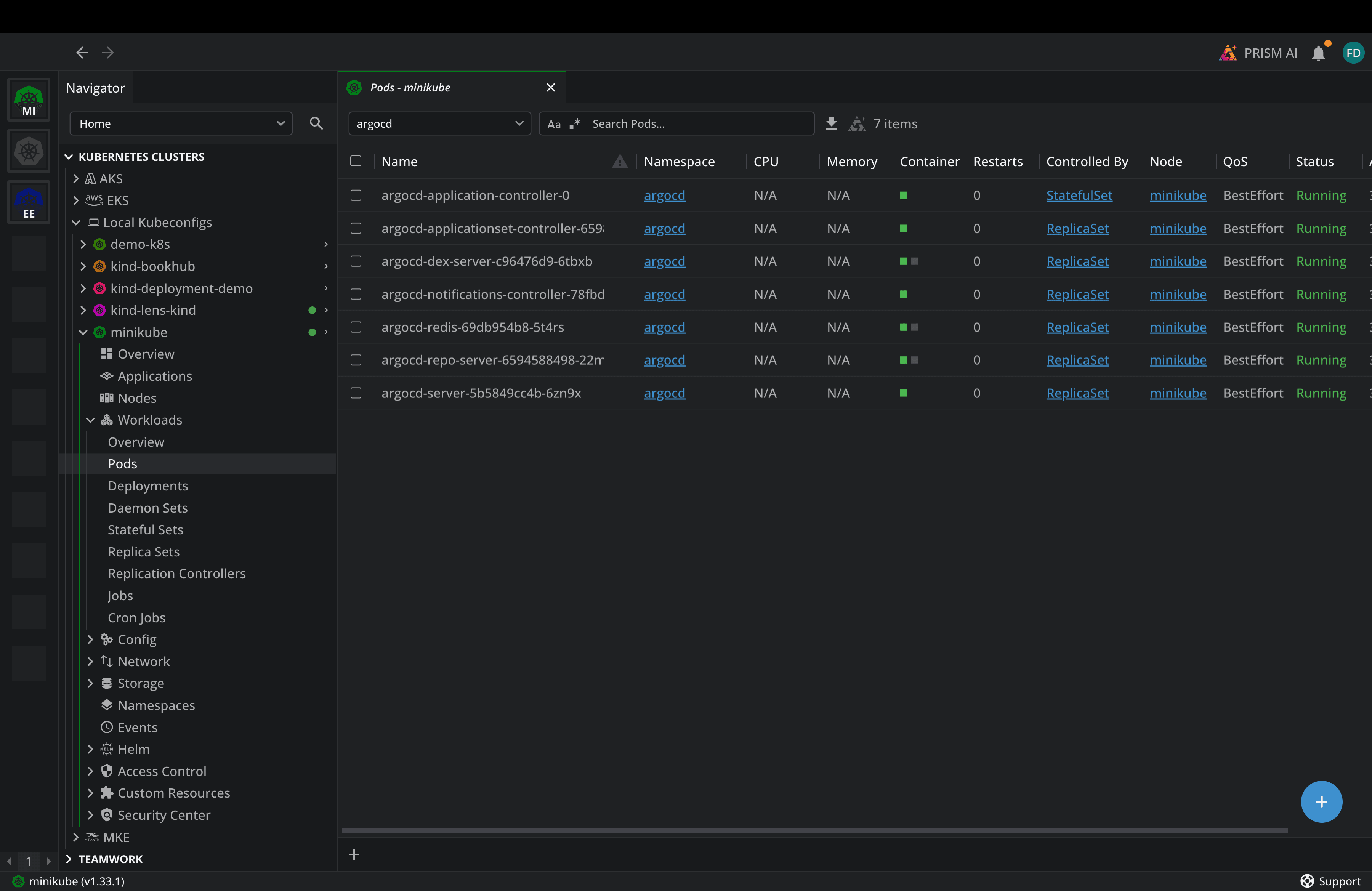
The resources are running, so let’s connect to the ArgoCD UI now. For that, I will port-forward to the argocd-server:
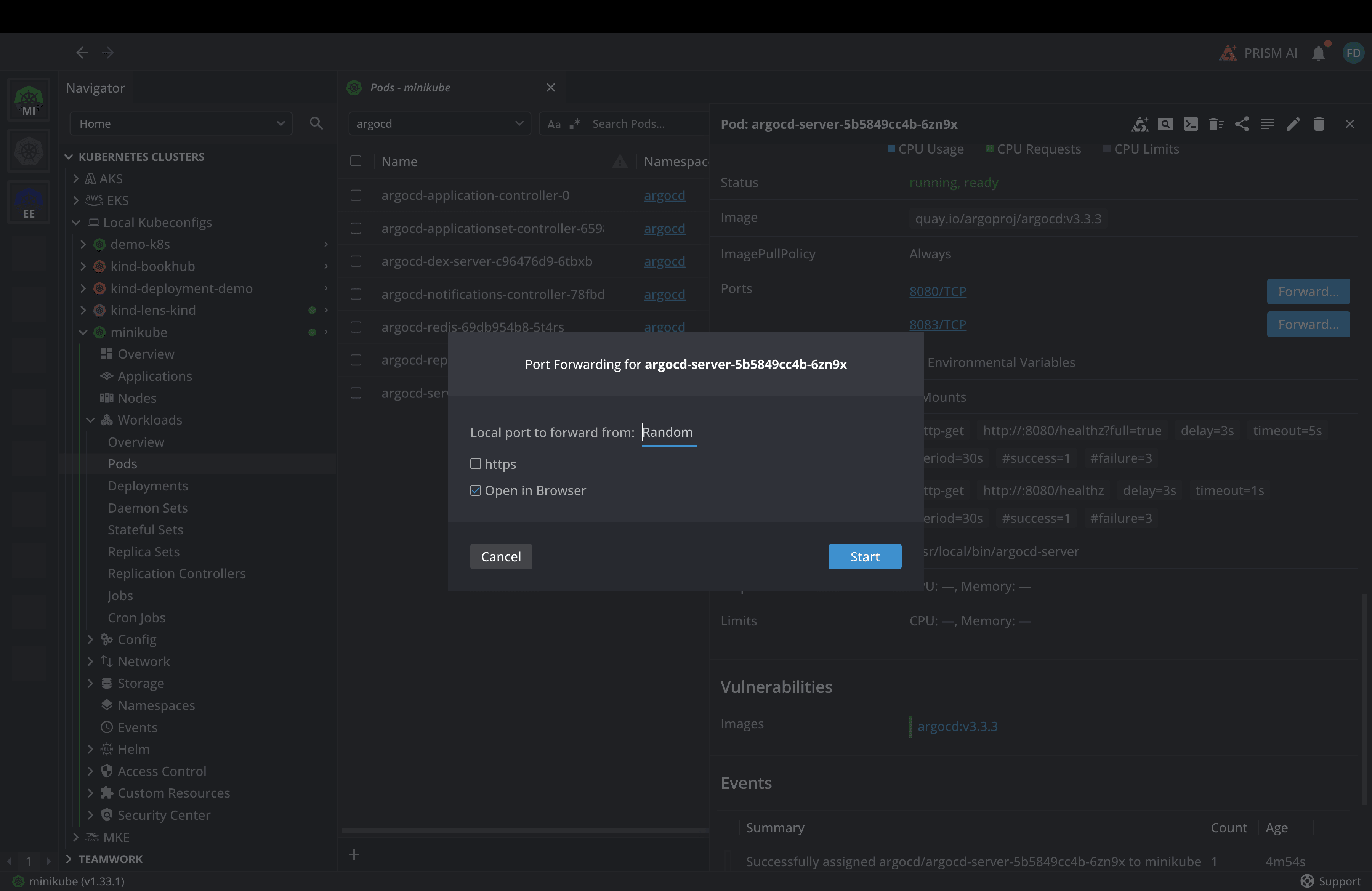
And as soon as I click on Start in Lens, it will automatically open in my browser:
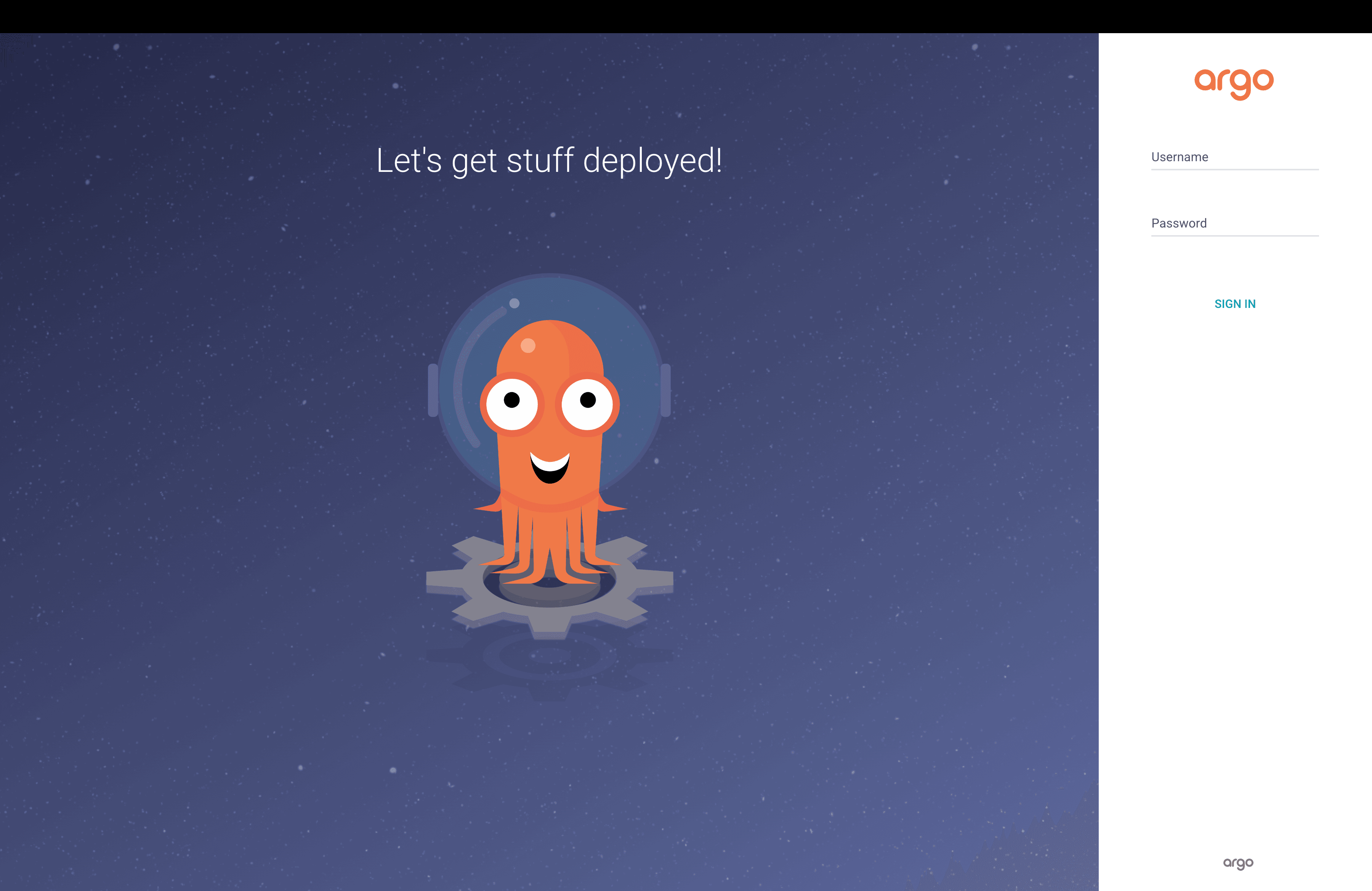
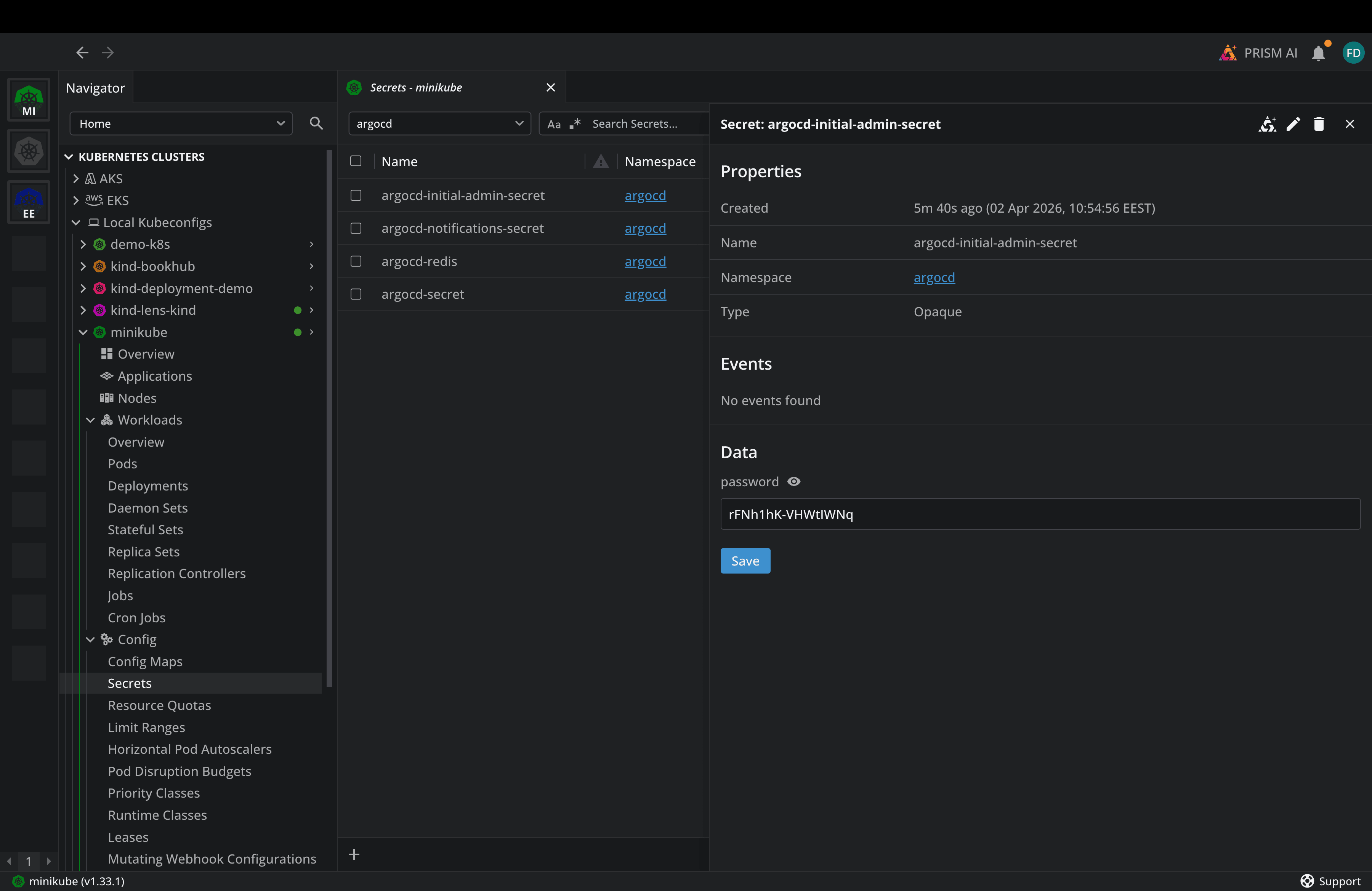
You will need to add admin as the username and password, and we can find the password details in a Kubernetes secret that was created when we deployed ArgoCD. This is the initial admin password, so make sure you change it:
As soon as you enter these credentials, you will be logged into Argo, but you won’t have any applications in there. Now, let’s apply a dummy application from the ArgoCD example apps repository:
apiVersion: argoproj.io/v1alpha1
kind: Application
metadata:
 name: guestbook
 namespace: argocd
spec:
 project: default
 source:
   repoURL: https://github.com/argoproj/argocd-example-apps.git
   targetRevision: HEAD
   path: guestbook
 destination:
   server: https://kubernetes.default.svc
   namespace: default
 syncPolicy:
   automated:
     prune: true        # Delete resources not in Git
     selfHeal: true     # Auto-correct drift
   syncOptions:
     - CreateNamespace=true
kubectl apply -f guestbook.yaml
application.argoproj.io/guestbook created
After you apply this application, you can go to ArgoCD and see the sync status:
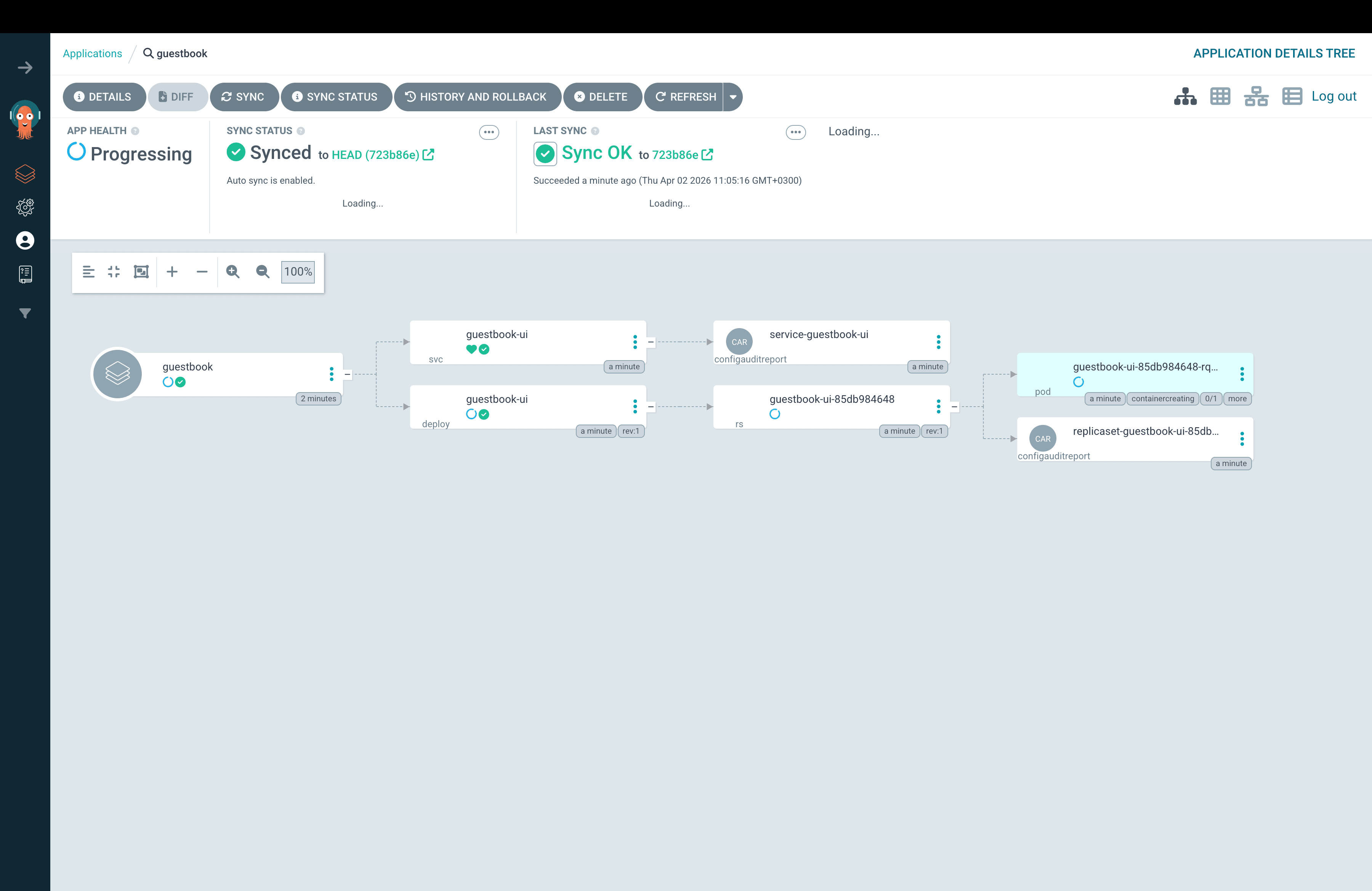
You can see at a glance the app's health, the sync status, when the last sync occurred, and all the components this application has deployed.
ArgoCD Key Features
ArgoCD stands out with:
- A built-in Web UI: It provides a rich UI that shows the full resource tree, sync status, health checks, and diff views between the desired and live states.
- ApplicationSets: ArgoCD can dynamically generate application resources from templates. You define a template once, then point it to a data source (e.g., a Git directory or a registered cluster), and ArgoCD automatically creates and manages an application for each entry.
- App of apps pattern: You can use a root Application that points to a directory of other Application manifests, and this will create several applications from a single deployment
- Fine-grained RBAC: ArgoCD lets you implement fine-grained RBAC, ensuring that you can implement the principle of least privilege.
- Hooks: You can leverage Pre-Sync and Post-Sync hooks to ensure that different actions occur before and after synchronization (e.g., run an IaC pipeline that creates a Managed Identity in Azure that a service account can use). PreDelete hooks are now available to ensure you can properly clean up resources.
- Sync-waves: Resources can be created across different sync waves, making it easy to create some before others. Learn more about Sync Waves here.
- Multi-cluster support: You can use a single ArgoCD installation to deploy resources across multiple Kubernetes Clusters.
FluxCD
Flux takes a different architectural approach than ArgoCD. Flux runs as a set of independent controllers, each responsible for a specific concern. There is a source-controller that manages your Git and Helm repositories, a kustomize-controller that applies Kustomize overlays, a helm-controller that manages Helm releases, and more.
Each piece is independently upgradable and configurable, and if you don’t need a specific controller, you can simply leave it out.
Installing Flux and deploying a Dummy application
To install Flux, you need to first install the Flux CLI. If you are using MacOS you can do it like in the command below, otherwise you can check the installation guide for instructions related to your operating system:
brew install fluxcd/tap/flux
Next, you can bootstrap Flux into your cluster using the Flux bootstrap command. With this, you will save your Flux configuration to Git, and Flux will manage itself through GitOps. Whenever there is a new version you want to upgrade to, you can use Flux by re-running the bootstrap command, and this will commit the updated manifest to Git.
For this example, I will not do that and leverage a local installation:
flux install
You should see an output similar to this:
✚ generating manifests
✔ manifests build completed
► installing components in flux-system namespace
CustomResourceDefinition/alerts.notification.toolkit.fluxcd.io created
…
NetworkPolicy/flux-system/allow-webhooks created
◎ verifying installation
✔ helm-controller: deployment ready
✔ kustomize-controller: deployment ready
✔ notification-controller: deployment ready
✔ source-controller: deployment ready
✔ install finished
Now, let’s see the resources in Lens Kubernetes IDE:
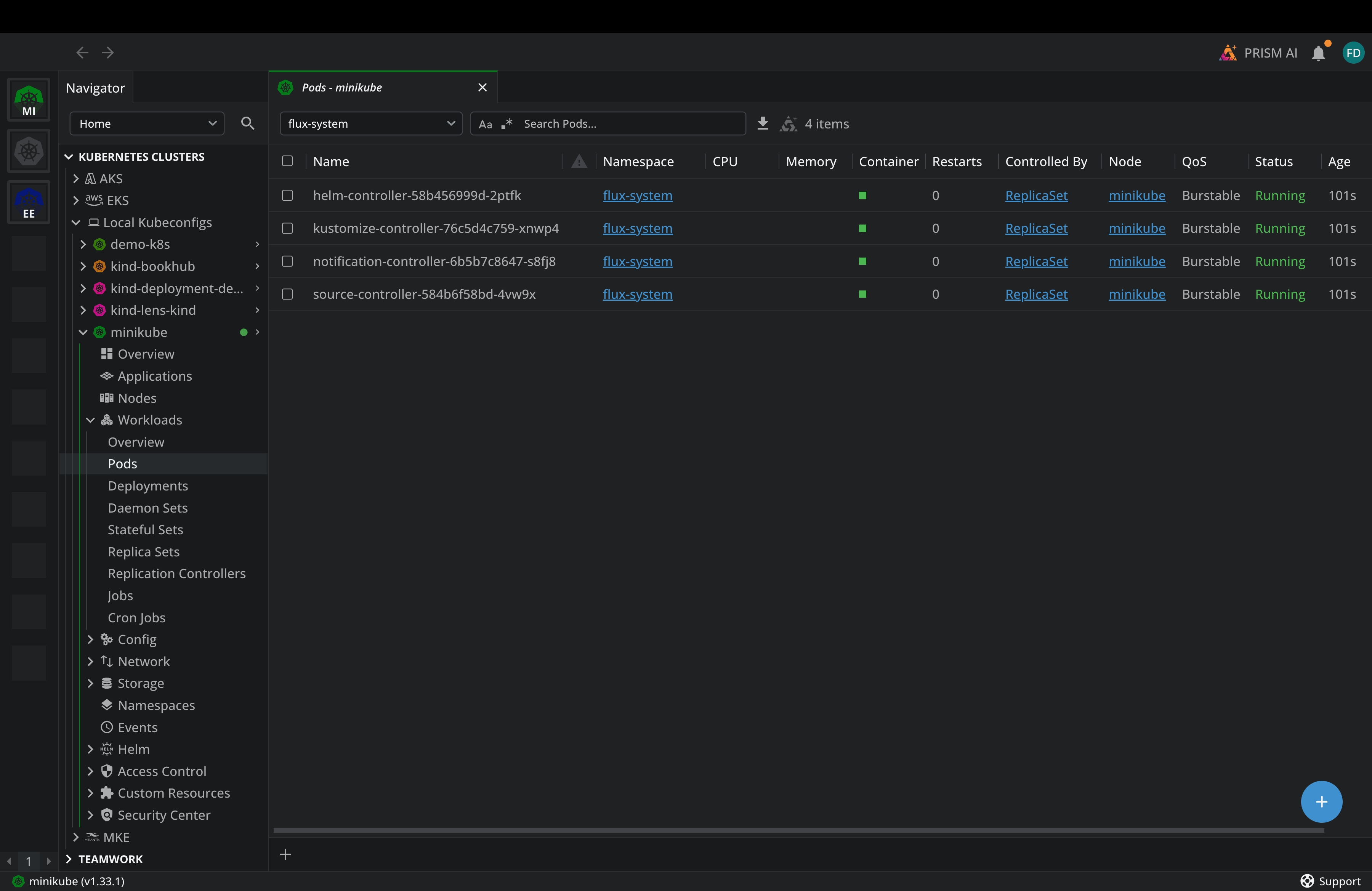
Ok, now we are ready to deploy a sample application:
apiVersion: source.toolkit.fluxcd.io/v1
kind: GitRepository
metadata:
 name: podinfo
 namespace: flux-system
spec:
 interval: 1m
 url: https://github.com/stefanprodan/podinfo
 ref:
   branch: master
---
apiVersion: kustomize.toolkit.fluxcd.io/v1
kind: Kustomization
metadata:
 name: podinfo
 namespace: flux-system
spec:
 interval: 5m
 path: ./kustomize
 prune: true
 sourceRef:
   kind: GitRepository
   name: podinfo
 targetNamespace: default
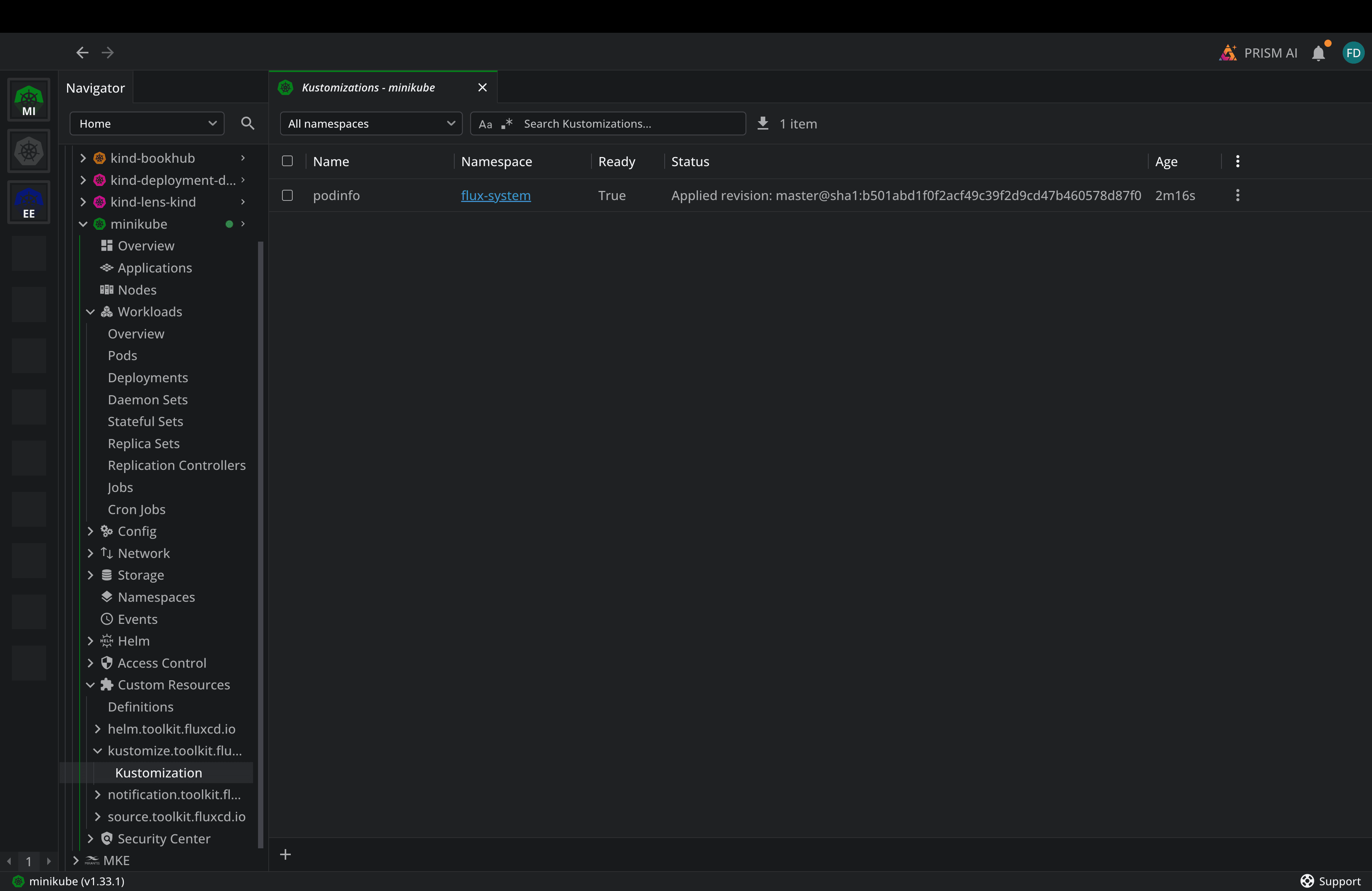
Flux will pick up the Git Repository, pull the manifest, and then deploy podinfo.
Flux Key Features
Flux offers:
- Helm v4 support: this is available from Flux version 2.8
- Composable architecture: Each Flux controller is independent, you can run just the pieces you need, and you can also build custom CD systems on top of Flux’s components
- There is no central server: There is no single point of failure for a centralized management plane, and each cluster is self-contained
- Kustomize-native: Flux uses Kustomize natively for configuration management, which aligns well with K8S community conventions
- Progressive delivery with Flagger: Flux integrates with Flagger for blue/green deployments, canary deployments, and A/B testing
- Terraform/OpenTofu provider: Flux has an official Terraform/OpenTofu provider for bootstrapping Flux via IaC
Note: Flux had no built-in UI, but that has changed, and it now ships with a dedicated Flux Web UI that provides a cluster dashboard with sync statistics, workload monitoring, and also views into Helm Releases and Kustomizations
ArgoCD vs Flux: Which one is better for your team?
In CNCF’s recent survey from last year, it seems clear that ArgoCD is adopted by over 45% of GitOps users, while Flux stands at 11%. Does that mean you should always use Argo CD instead of Flux?
Both tools are production-grade, actively maintained, and CNCF-Graduated. The right choice between them depends on your team’s needs. Both will serve you well for the majority of your use cases. In the past, the biggest differentiator between ArgoCD and Flux was the fact that ArgoCD had a UI and Flux didn’t. That gap has narrowed, but if your team relies heavily on a UI, ArgoCD remains the stronger choice.
ArgoCD also excels when managing applications across multiple clusters. The ApplicationSet controller and the app-of-apps pattern make ArgoCD excellent at scale. Also, if you prefer a centralized management model, one ArgoCD instance can easily manage multiple clusters, giving you a single pane of glass.
If you prefer a CLI-first and Git-centric workflow, Flux’s approach feels more natural. At the same time, if you want each cluster to be self-contained, Flux’s decentralized model means that each cluster manages its own reconciliation.
You shouldn’t actually agonize over this decision, because migrating from one to the other isn’t going to be very cumbersome, because both tools use standard Kubernetes manifests, Helm charts, and Kustomize overlays.
GitOps Observability with Lens Kubernetes IDE
We’ve seen throughout the article that it’s very easy to use Lens Kubernetes IDE to understand the status of your GitOps-related resources. Apart from helping you see these resources, the Lens K8S IDE can help you understand all events that have happened around them, view logs, see how GitOps performs at scale, and more.
Lens K8S IDE also includes a context-aware AI assistant called Lens Prism, which can help you diagnose issues that may arise with your GitOps tools. You can ask questions in plain English, and Prism can troubleshoot and then also offer you different solutions.
In addition to that, Lens K8S IDE has an MCP server, so you can connect your AI assistants directly to Lens and ask questions about the resources you have deployed in your Kubernetes clusters. This applies to GitOps as well, so if you want to troubleshoot an ArgoCD application or Flux Kustomization, you can easily do so.
Conclusion
GitOps has become the standard approach for delivering applications to Kubernetes, and both ArgoCD and Flux are powerful solutions that you can use without being afraid that you’ve made the wrong choice.
Things get challenging with day-to-day operational work. It can be hard to monitor sync status across multiple clusters, diagnose drift, and troubleshoot failed reconciliations. That’s where Lens Kubernetes IDE comes in to give you the visual observability layer that makes GitOps manageable at scale, and with Lens Prism and the Lens MCP server, you can troubleshoot everything in plain English.
If you want to make your GitOps operations easier, book a demo with a Lens Kubernetes IDE engineer.