


Enforcing Kubernetes Security and Compliance with Kyverno: A Complete Guide
Kubernetes excels at container orchestration, but it doesn’t natively enforce security best practices or organizational policies. The challenge of maintaining security, governance, and compliance when using Kubernetes at scale has become increasingly complex, and third-party tools have risen to solve it.
Kyverno is a CNCF incubating project that enables your team to define, validate, and enforce policies across your Kubernetes projects. Policy engines usually require learning specific languages (e.g., Rego for Open Policy Agent), but Kyverno is different. Kyverno leverages the familiar YAML syntax you are already accustomed to, making the learning curve accessible to teams that are already familiar with Kubernetes.
In this article, we will explore how Kyverno empowers engineers to:
- Implement Kubernetes policy validation locally and into CI/CD pipelines
- Enforce security policies at the admission controller level in Kubernetes
- Visualize policy enforcement in real-time using Lens Kubernetes IDE
How Policy as Code Helps Container Orchestration?
Policy as code enables your team to switch from manual security enforcement to an automated, auditable process. For Kubernetes, this approach provides several critical benefits, such as:
- Shifting-left security: If you integrate policy-as-code into your development workflows, your teams can identify issues before deploying to production environments. With the Kyverno CLI, you can run your policies against your Kubernetes manifests. When you run them locally, you can get immediate feedback on your manifests and ensure you add all required fixes to comply with your organization's policies. Running them in a CI/CD pipeline ensures that no code reaches your main branch before validation has passed.
- Building automated compliance: This is particularly useful if your organization must adhere to regulatory frameworks such as SOC 2, HIPAA, and others. With Kyverno, you can codify all the requirements you need to be compliant, thus ensuring that your manifests never reach your production environments if they are uncompliant.
- Consistent enforcement: For example, if you need to block all the Kubernetes resources that use the latest image tag in their containers, you can write the Kyverno policy once, add all the required resources inside of it, deploy it to your cluster, and then whenever there is a resource that tries to violate this rule, it will be blocked. If you need to repeat this process for other Kubernetes clusters, you can easily do so by deploying the policy, and you will be good to go.
- Reducing cognitive load: You shouldn’t expect your developers to know by heart all the security best practices that a compliance framework might require. There are many rules you have to follow, and even if you have a list of them somewhere, the chances of human error are still high. With Kyverno, you don’t have to worry about that anymore, as your policies will work for you, and your engineers will get time back to focus on what really matters: shipping new features
- Kyverno policies are code: This means you can easily store your policies in Git repositories, enabling version control, code review, and automated deployments through CI/CD pipelines or GitOps tools like ArgoCD or Flux.
Let’s now walk through an example and see how Kyverno can help your organization stay secure.
TL;DR?
Example Walkthrough
For this example, we will use a simple NGINX deployment that violates several security best practices, such as using the latest tag, no resource limits defined, and no readiness or liveness probes.
apiVersion: apps/v1
kind: Deployment
metadata:
 name: nginx-app
 namespace: default
 labels:
   app: nginx
spec:
 replicas: 3
 selector:
   matchLabels:
     app: nginx
 template:
   metadata:
     labels:
       app: nginx
   spec:
     containers:
       - name: nginx
         image: nginx:latest
         ports:
           - containerPort: 80
Let’s now create 3 Kyverno polices:
- One that blocks deployments that have containers that use the latest tag for their images
- One that blocks deployments that don’t have resource limits
- One that blocks deployments that don’t have readiness and liveness probes
Blocking latest image tag:
apiVersion: kyverno.io/v1
kind: ClusterPolicy
metadata:
 name: block-latest-tag
spec:
 validationFailureAction: Enforce
 background: false
 rules:
   - name: require-image-tag
     match:
       any:
         - resources:
             kinds:
               - Deployment
     validate:
       message: "Images must not use the 'latest' tag"
       pattern:
         spec:
           template:
             spec:
               containers:
                 - image: "!*:latest"
Require resource limits:
apiVersion: kyverno.io/v1
kind: ClusterPolicy
metadata:
 name: require-resource-limits
spec:
 validationFailureAction: Enforce
 background: false
 rules:
   - name: require-limits
     match:
       any:
         - resources:
             kinds:
               - Deployment
     validate:
       message: "All containers must have resource limits defined"
       pattern:
         spec:
           template:
             spec:
               containers:
                 - resources:
                     limits:
                       memory: "?*"
                       cpu: "?*"
Require health probes:
apiVersion: kyverno.io/v1
kind: ClusterPolicy
metadata:
 name: require-health-probes
spec:
 validationFailureAction: Enforce
 background: false
 rules:
   - name: require-probes
     match:
       any:
         - resources:
             kinds:
               - Deployment
     validate:
       message: "All containers must have readiness and liveness probes"
       deny:
         conditions:
           any:
             - key: "{{ request.object.spec.template.spec.containers[].livenessProbe || '' }}"
               operator: Equals
               value: ""
             - key: "{{ request.object.spec.template.spec.containers[].readinessProbe || '' }}"
               operator: Equals
               value: ""
You can test all the policies against your manifest before deploying any of them to your cluster by using Kyverno CLI. Instructions for installing it can be found here.
kyverno apply policies/ --resource nginx.yaml

Applying 3 policy rule(s) to 1 resource(s)...

policy block-latest-tag -> resource default/Deployment/nginx-app failed:

1 - require-image-tag validation error: Images must not use the 'latest' tag. rule require-image-tag failed at path /spec/template/spec/containers/0/image/


policy require-health-probes -> resource default/Deployment/nginx-app failed:

1 - require-probes validation error: All containers must have readiness and liveness probes. rule require-probes failed at path /spec/template/spec/containers/0/livenessProbe/

policy require-resource-limits -> resource default/Deployment/nginx-app failed:

1 - require-limits validation error: All containers must have resource limits defined. rule require-limits failed at path /spec/template/spec/containers/0/resources/

pass: 0, fail: 3, warn: 0, error: 0, skip: 0
As you can see, all three of them fail. Running them this way can be particularly useful when you are developing new Kubernetes manifests. If you embed this in a CI pipeline, you can block merges to your main branch.
Let’s now deploy Kyverno into a K8s cluster and all the policies, and then try to deploy the nginx manifest. You can easily install Kyverno using Helm, but here are also some alternative methods:
helm repo add kyverno https://kyverno.github.io/kyverno/
helm repo update
helm install kyverno kyverno/kyverno -n kyverno --create-namespace
Next, let’s deploy all the policies:
kubectl apply -f policies/

clusterpolicy.kyverno.io/block-latest-tag created
clusterpolicy.kyverno.io/require-health-probes created
clusterpolicy.kyverno.io/require-resource-limits created
Now, let’s try to apply our nginx deployment:
kubectl apply -f nginx.yaml

Error from server: error when creating "nginx.yaml": admission webhook "validate.kyverno.svc-fail" denied the request:


resource Deployment/default/nginx-app was blocked due to the following policies

block-latest-tag:

require-image-tag: 'validation error: Images must not use the ''latest'' tag. rule

require-image-tag failed at path /spec/template/spec/containers/0/image/'

require-health-probes:

require-probes: 'validation error: All containers must have readiness and liveness

probes. rule require-probes failed at path /spec/template/spec/containers/0/livenessProbe/'

require-resource-limits:

require-limits: 'validation error: All containers must have resource limits defined.

rule require-limits failed at path /spec/template/spec/containers/0/resources/limits/'
As you can see, the deployment was blocked because it violated our policies. Any other example you might try to use that violates any of these policies will also be blocked. To fix this, we must fix our deployment.
Here is a fixed example:
apiVersion: apps/v1
kind: Deployment
metadata:
 name: nginx-app
 namespace: default
 labels:
   app: nginx
spec:
 replicas: 3
 selector:
   matchLabels:
     app: nginx
 template:
   metadata:
     labels:
       app: nginx
   spec:
     containers:
       - name: nginx
         image: nginx:1.25
         ports:
           - containerPort: 80
         resources:
           limits:
             memory: "256Mi"
             cpu: "500m"
           requests:
             memory: "128Mi"
             cpu: "250m"
         livenessProbe:
           httpGet:
             path: /
             port: 80
           initialDelaySeconds: 15
           periodSeconds: 10
         readinessProbe:
           httpGet:
             path: /
             port: 80
           initialDelaySeconds: 5
           periodSeconds: 5
Now, if you try to apply this fixed version, we will see that everything is working just fine:
kubectl apply -f nginx-pass-policies.yaml

deployment.apps/nginx-app created
How can Lens Kubernetes IDE help with Kyverno
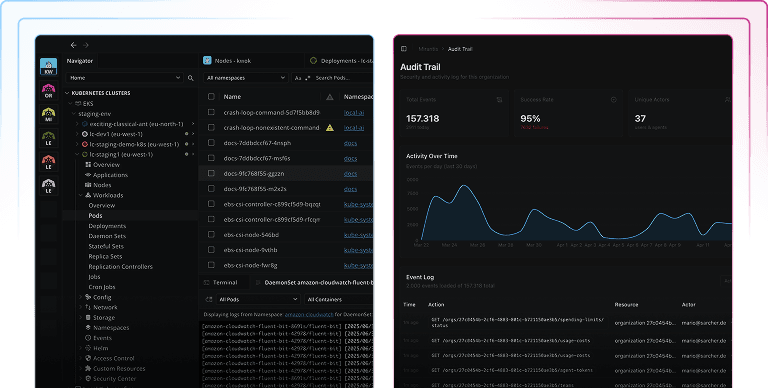
Lens Kubernetes IDE equips you with everything you need to visualize your Kubernetes clusters and, at a glance, understand what is happening to them at scale. It offers built-in support for visualizing all your workloads, seeing logs, connecting to your pod shells, attaching to your pods, port-forwarding to your services, and more.
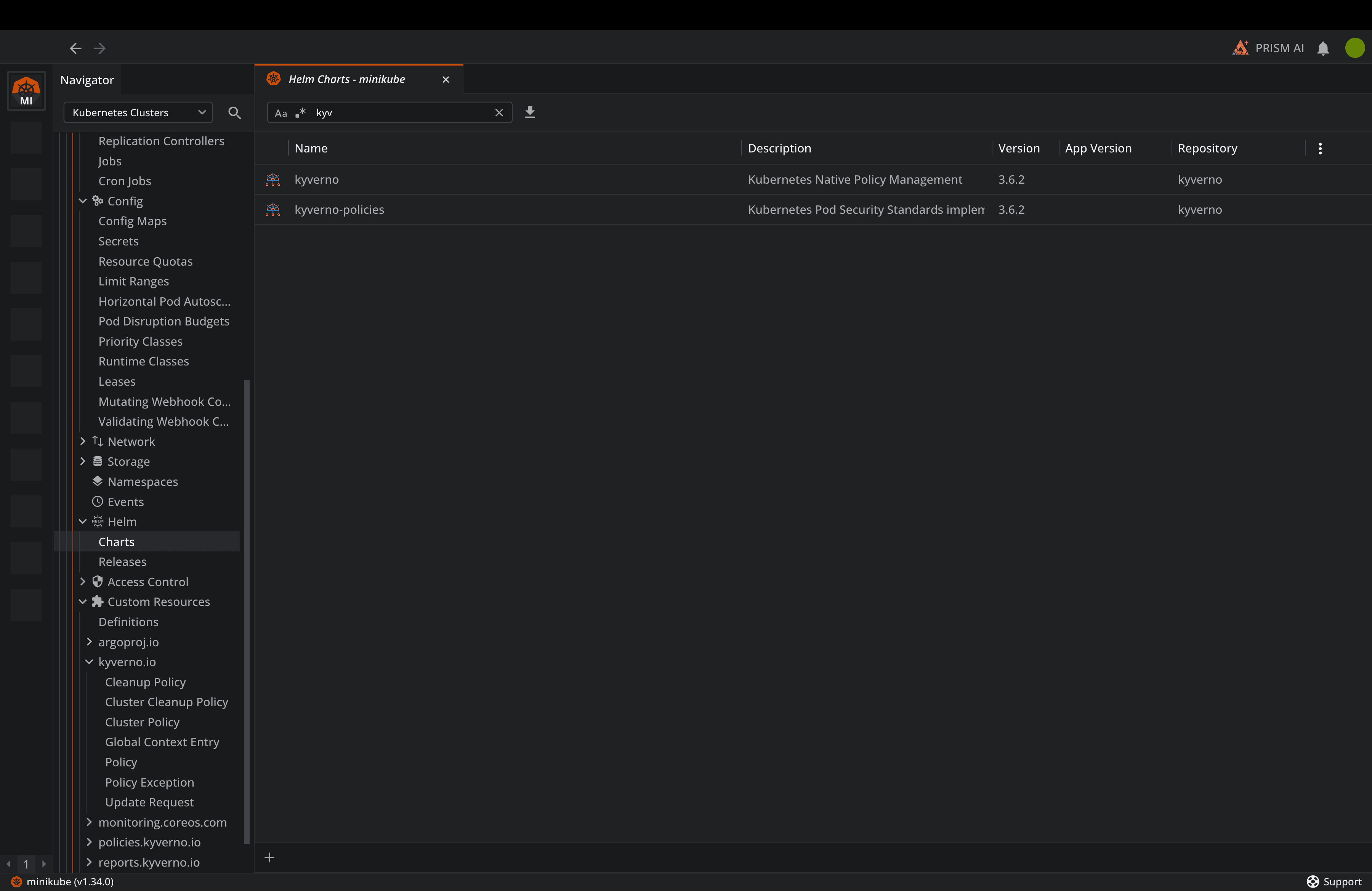
Right before installing Kyverno, you can use Lens’ built-in Helm support to do the actual installation:
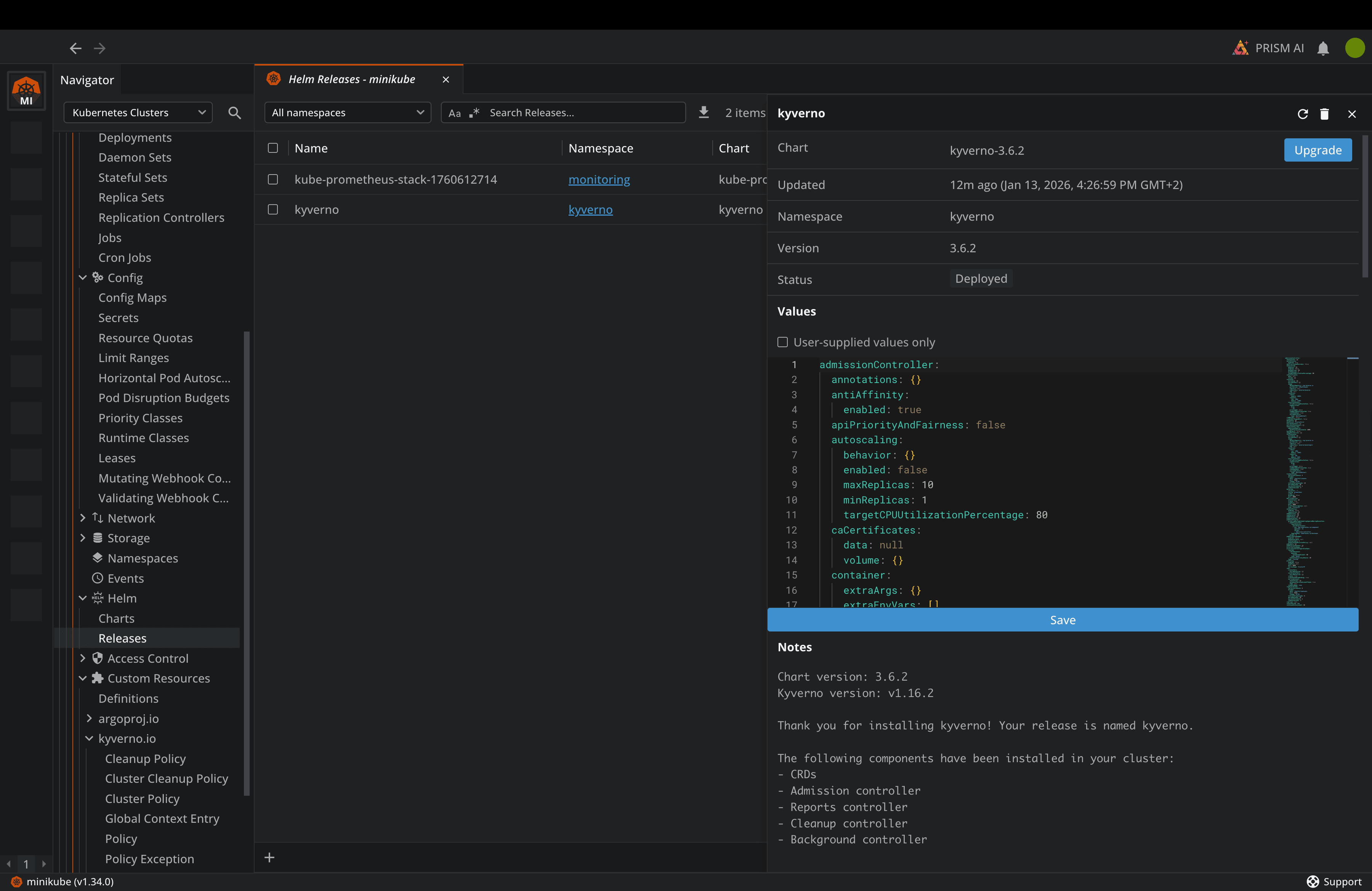
Then, as soon as the Helm Chart is installed, you can navigate to Releases, and you will view the Kyverno release deployed, and also information about it:
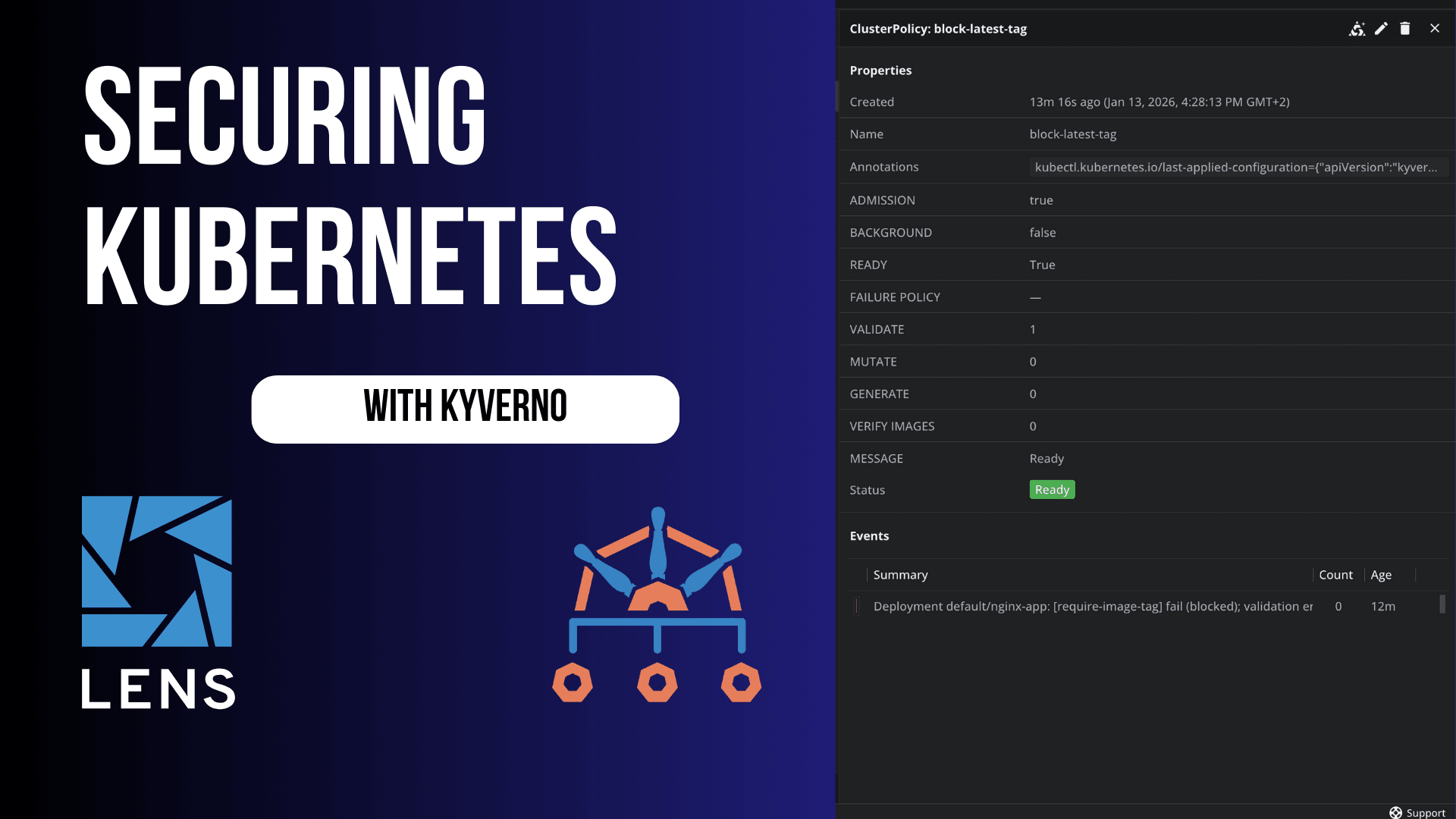
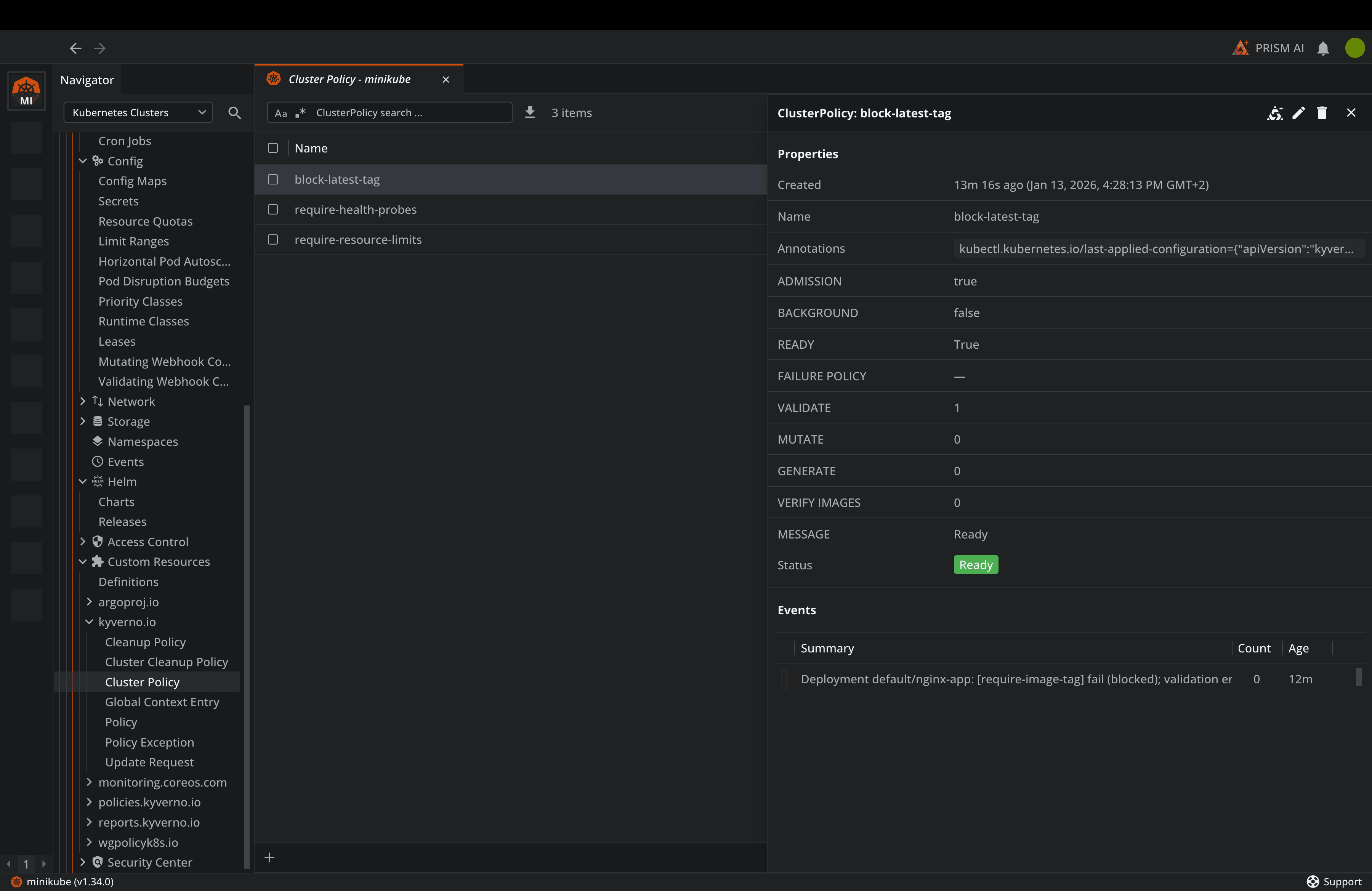
Lens Kubernetes IDE also has built-in support for CRDs, so you can visualize all the Kyverno resources you deploy, and also get information about them. This is very useful, especially for policies, as you can see when they blocked certain resources and the reason why that happened. This also helps you by making it easy to access any CRD you might have, without needing to know the exact name of the CRD, saving a lot of time compared to using just kubectl.
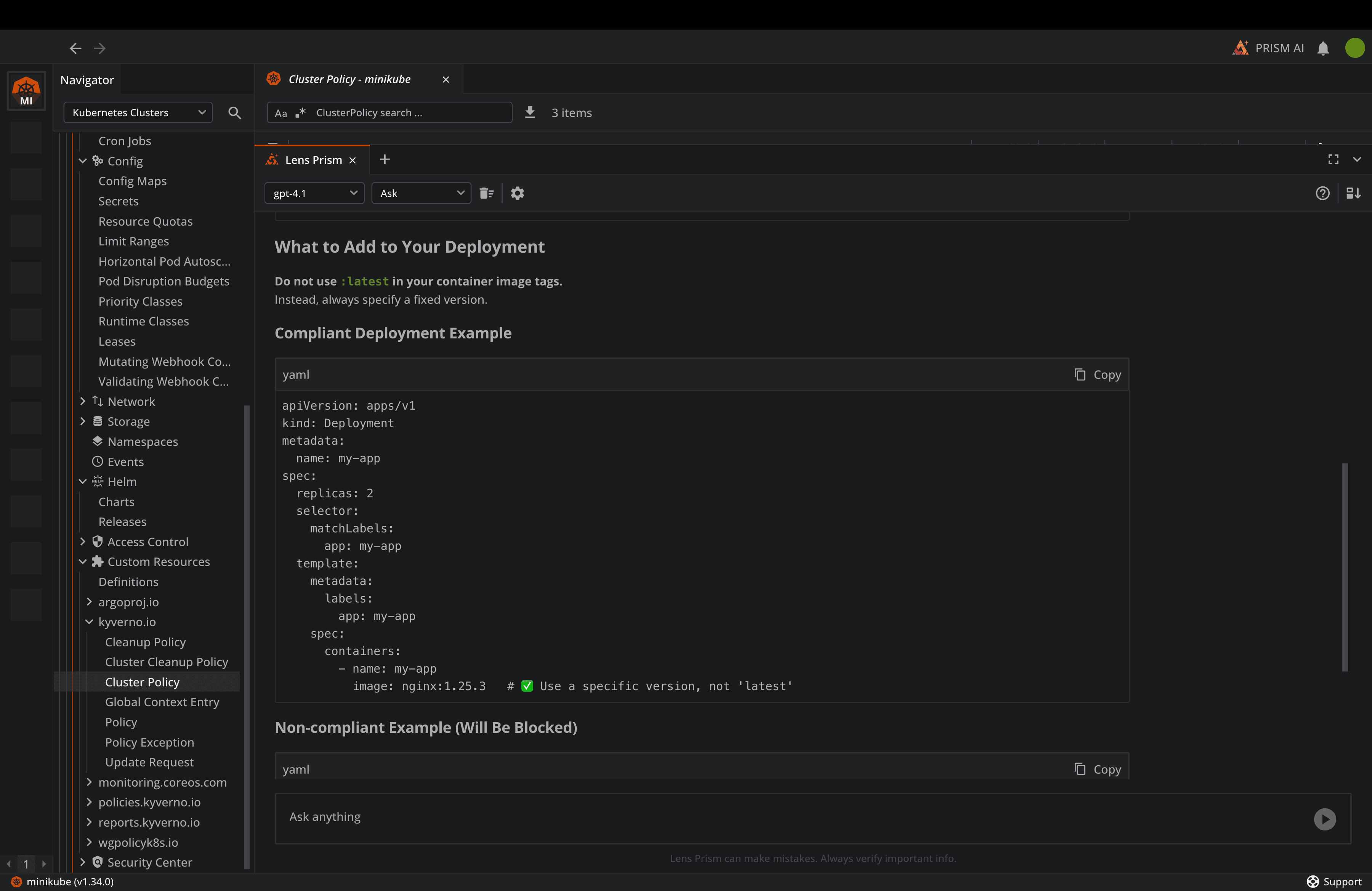
Lens Kubernetes IDE also has a built-in AI assistant called Lens Prism that can easily help you debug anything that is happening in your Kubernetes clusters, and it can also assist you with writing Kyverno policies and understanding how to fix violating resources based on your policies:
If you are using AWS EKS or Azure AKS clusters, Lens Kubernetes IDE integrates natively with them, so you don’t need to worry about adding all your clusters one by one manually into your kubeconfig.
Conclusion
Cloud Native continue to evolve, and security must evolve with it. Kyverno provides a K8s native solution that fits naturally into your existing workflows, while equipping your teams with everything they need to build automatic compliance.
The short examples in this guide offer a good foundation for implementing Kyverno into your environments. You should always start small, iterate quickly, and expand your coverage as your team gains confidence.
Lens Kubernetes IDE can help you understand what is happening with your clusters at scale, and can also help you understand what security mechanisms you have into play. If you want to learn more about Lens, book a demo with one of our engineers.